 AHNEXINNOVATION UNIVERSITYLEARN. PRACTICE. GROW.
☰ Menu
WordPress Website Development
Build and manage a clean, mobile-friendly WordPress website with clear navigation, useful page content and basic on-page SEO.
Course structure: topic sequence and practical activities can be adapted to the selected batch and learner level. Confirm current schedule and fee before registration.
Ask About This Course ↗ All Courses
Who Should Join?
This course is suitable for beginners and learners who want a structured foundation, as well as professionals who want to review their workflow. No outcome or employment placement is guaranteed.
- Students and career changers
- Freelancers and service providers
- Entrepreneurs and small business teams
- Professionals upgrading practical skills
What You Can Build
Manage content, create well-structured responsive pages and handle common WordPress publishing and SEO tasks.
Practical Project
Create a responsive multi-page WordPress site prototype with a home page, service/course pages and a contact route.
What You Will Learn
Topics are organized into practical modules to help learners understand concepts, apply them, and review their work.
Website Planning
Goals; audience; sitemap; page hierarchy; user journeys; content inventory and calls to action.
WordPress Basics
Dashboard; pages and posts; media library; themes; blocks; revisions and publishing.
Themes & Layouts
Block theme concepts; templates; template parts; patterns; typography; spacing and color systems.
Pages & Navigation
Homepage; about; services/courses; contact; footer; internal links; menu structure.
Responsive Design
Mobile-first layouts; text size; image handling; touch targets; menu behavior and cross-device testing.
Forms & Integrations
Contact form choices; email delivery; spam prevention; privacy notices; CRM handoff concepts.
Performance & Security
Image optimization; caching basics; update routine; backups; SSL; least-privilege accounts.
On-page SEO
Page titles; headings; slugs; descriptive copy; alt text; internal links; sitemap and search indexing checks.
How Learning Works
- Topic explanation and instructor demonstration.
- Practical exercises and guided assignments.
- Project work based on a sample business or learner-selected brief.
- Review, feedback and next-step recommendations.
Class format, duration, batch timings, certificate eligibility and fee are confirmed for each intake. Ask the team for current details.
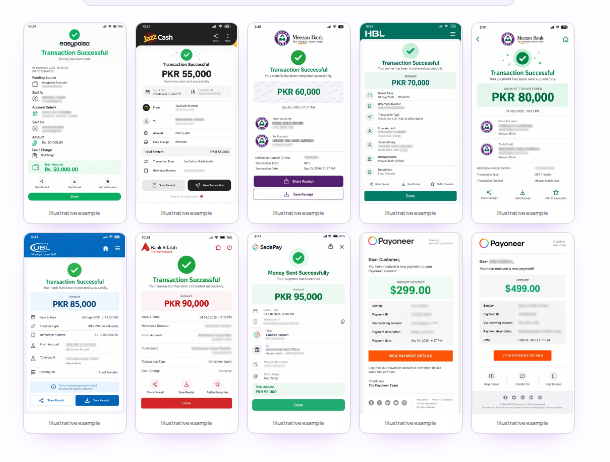
Our Students’ Results
Our students have earned by providing AI services to clients, including website creation, branding, AI ads and marketing.
Illustrative examples only. To protect student and client privacy, we do not publish actual payment screenshots.
Ready to Learn WordPress & Website Design?
Ask for the current batch schedule, course fee and registration instructions.
Learn. Practice. Grow.
Practical digital education for your next step.
© 2026 AhneX Innovation University. All rights reserved.